


Muscle Trigger Point Anatomy
4.7347.00 Reviews
App Specs
- Version
- 2.5.3
- Updated On
- License
- $4.99
- Downloads
- 100,000+
- Developer
- Real Bodywork
- Categories
- Medical
- Platform
- Android, iOS
Screenshots
 Analysis by AppCompare
If you’ve ever found yourself googling muscle pain remedies or trying to decipher where exactly that pesky knot in your shoulder is coming from, then you might want to check out the Muscle Trigger Point Anatomy app. As someone who's spent countless hours on a foam roller, this app was a bit of a revelation. Let’s dive in and see what it’s all about.
Discover the Mystery Behind Muscle Knots
So, what exactly does Muscle Trigger Point Anatomy do? In a nutshell, it’s like having a personal massage therapist in your pocket. The app is designed to help you identify trigger points—those gnarly little spots that cause pain—and teaches you how to release them.
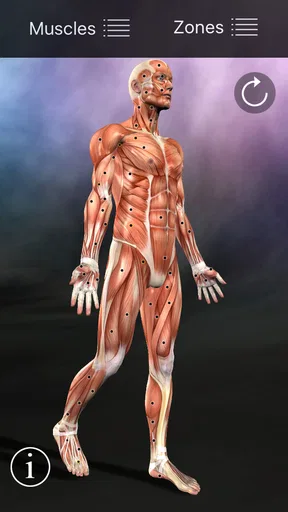
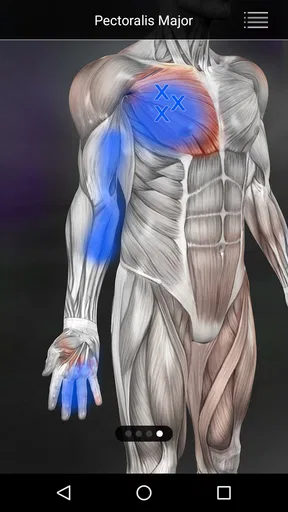
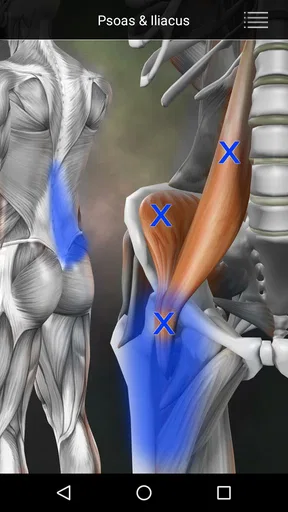
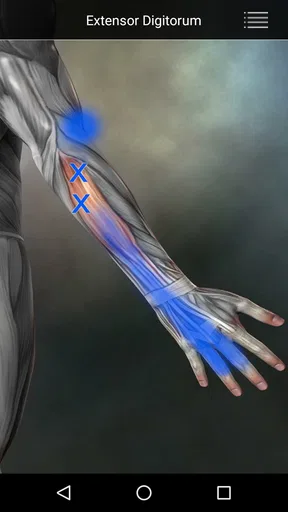
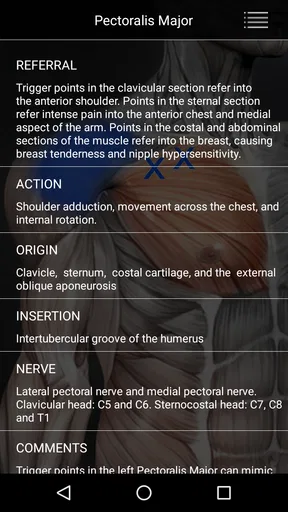
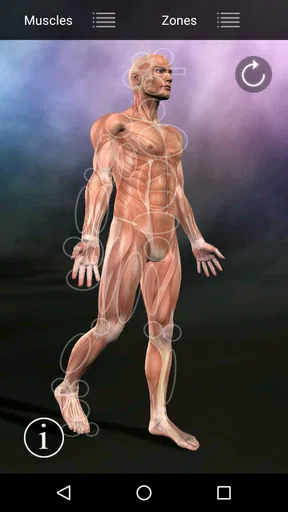
The interface is pretty straightforward. You start by selecting the muscle group you're interested in, and the app provides detailed diagrams and explanations. It’s like having a mini anatomy lesson every time you open it. The level of detail is impressive, and the app doesn't skimp on the nitty-gritty, which I found super helpful.
Easy Navigation and User-Friendly Design
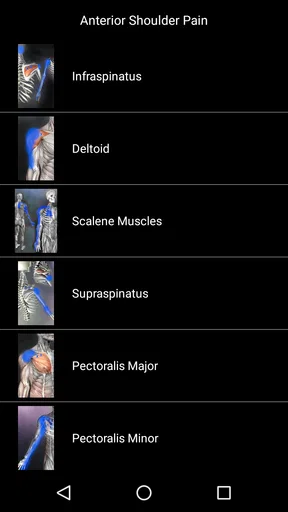
One thing I really appreciated was how easy the app is to navigate. You don’t need to be a tech wizard to figure it out. The layout is intuitive, with clear labels and sections. Whether you’re a seasoned athlete or just someone dealing with everyday muscle tension, getting to the information you need is a breeze.
The app includes a color-coded system to highlight different muscle groups and trigger points. This is a nice touch because it makes it easier to locate the exact point of pain and understand the interconnectedness of muscles. I found myself exploring areas I hadn’t considered before, which was both educational and slightly alarming!
Interactive Features That Educate and Relieve
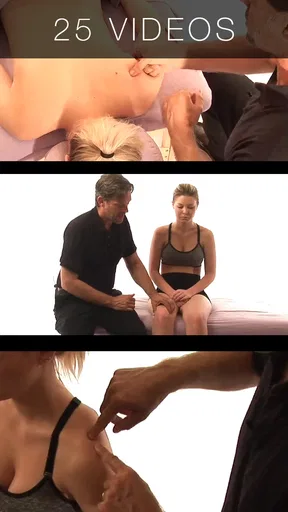
Now, let’s talk about the features that make this app more than just a digital anatomy book. There are interactive tutorials and videos that guide you on how to alleviate pain and tension. These include self-massage techniques, stretching exercises, and even breathing exercises to complement your trigger point therapy.
Having these resources at your fingertips is a game-changer, especially when you're in the middle of a workout and something starts to feel off. I found the videos particularly useful. They’re short, sweet, and to the point—perfect for when you’re in a pinch.
Worth Reading Before You Choose

EA SPORTS FC Mobile 26 Is a Bigger Football Game, but It Takes Time

Flipboard Shows What News Apps Must Do Beyond the Feed

Switching to Android Auto Means Rethinking Your Driving Routine

Google Calendar Makes a Crowded Week Easier to Manage

Ludo King Makes the Most of the Minutes Between Plans

Baby Panda World Brings Quick Play to Modern Phones, but Its Game Library Feels Busy
Why It’s Worth a Download
If you’re someone who’s serious about maintaining muscle health, or even just curious about understanding your body better, this app is a fantastic tool. It’s not just for athletes or fitness enthusiasts; it’s for anyone who’s ever rolled their eyes at yet another muscle cramp.
What struck me most was how the app manages to blend education with practical application. It doesn’t just tell you what a trigger point is; it shows you how to fix it. And let’s be honest, anything that can help ease muscle pain without booking an expensive massage is a win in my book.
So, if you’ve been battling with muscle tension and looking for a solution that’s both informative and actionable, give Muscle Trigger Point Anatomy a try. You might just find it’s the secret weapon you didn’t know you needed.
In conclusion, whether you’re at the gym, at home, or even at the office, this app provides a convenient way to understand and manage muscle pain. It’s like having a pocket-sized physiotherapist ready to help at any moment. And really, who wouldn’t want that?
Making the diagrams work for you
One practical way to use the anatomy material is to begin with the place you feel discomfort, then follow the diagram rather than pressing the sore spot immediately. Pain can be referred from another muscle, so looking at the related areas can give you a more useful question to investigate. I treat the illustrations as a map for learning, not proof of a diagnosis. If a location is hard to distinguish on screen, zooming in and comparing the neighboring structures is more sensible than guessing from a tiny view.
This approach is especially useful after repetitive tasks. If a long day at a desk leaves your upper back tight, you can review the relevant muscles and compare the explanation with how the sensation travels. A runner might use the same workflow after a change in training, while someone who carries a child on one side could look for patterns around the shoulder and trunk. The benefit is not that the app can tell you exactly what is wrong; it gives you vocabulary and anatomy to describe what you notice.
Using the techniques cautiously
The tutorials can help you understand how self-massage and stretching are intended to be done, but I would not treat a video as permission to push through sharp pain. Start gently, keep the movement within a comfortable range, and stop if symptoms worsen, spread, or feel unusual. Trigger-point work is not a substitute for medical assessment, especially when pain follows an injury or comes with other concerning symptoms. In those cases, a clinician is a better next step than experimenting with pressure.
A useful trade-off is that practical demonstrations are easier to follow than written instructions alone, yet they still depend on your ability to see the movement and reproduce it safely. If you have limited vision, a small screen or detailed anatomy image may be tiring; using a larger display, adjusting the device’s built-in text and magnification settings, or asking someone to help interpret a diagram may make a session more manageable. Those adjustments are outside the app itself, but they can change how accessible the material feels.
Choosing the right setting and tool
At home, the app suits a calm, unhurried check-in: open a muscle group, study the illustration, then decide whether a gentle technique seems appropriate. At a gym or workplace, it can be handy for looking up anatomy, but watching a demonstration or trying a stretch in a crowded space may not be comfortable. I would save anything requiring careful attention for a place where you can pause, position yourself safely, and avoid rushing.
Compared with a general web search, the app brings anatomy explanations and practical demonstrations into one focused reference, which can reduce the temptation to jump among unrelated advice. Compared with a clinician’s exam, though, it cannot observe your movement, ask follow-up questions, or tailor care to your history. It is best thought of as an educational companion, not a replacement for professional guidance or a full rehabilitation plan.
Muscle Trigger Point Anatomy is a Medical app from Real Bodywork, and its long-running presence is reflected in its release on January 27, 2011, and current version 2.5.3. It costs $4.99, is rated for Everyone, and requires Android 4.0.3 or later. It has a 4.7 average from around 1,700 ratings, with about 347 written reviews and over 100,000 installs. Those figures suggest an established audience, though they cannot tell you whether the diagrams suit your eyesight, learning style, or particular pain concern.
Who is likely to benefit
I’d recommend it most to curious adults who want a visual anatomy reference, people who already use gentle self-care, and students or practitioners who want a quick way to connect muscle names with common tension patterns. It can also help you prepare clearer questions for a physiotherapist: note which movement aggravates the discomfort, where it spreads, and which diagram you were reviewing. That is more useful than arriving with a firm self-diagnosis based on a single picture.
It is less suitable if you need a personalized treatment plan, spoken guidance, or a way to track symptoms and progress over time. Someone who finds diagrams difficult to interpret may prefer a hands-on explanation from a professional; someone seeking urgent advice should contact a health service rather than browse anatomy. The $4.99 purchase makes sense if you expect to return to the reference, but a one-off curiosity may be better served by a library resource or a conversation with a clinician.
For an everyday example, imagine that your neck feels stiff after hours at a laptop. I would use the app to identify the muscles around the neck and shoulder, compare the diagram with the area of discomfort, and watch a relevant demonstration before trying only a gentle movement. I would avoid digging hard into a tender point just because it appears on screen. If the stiffness persists or comes with symptoms that worry me, I would stop self-treatment and seek qualified advice.
Overall, I see this as a useful, focused anatomy and self-care reference rather than a pocket physiotherapist. The combination of diagrams and demonstrations gives it a clear purpose, while its dependence on visual interpretation and the limits of self-assessment matter just as much. If you enjoy learning how muscles relate to everyday aches and are comfortable using the material cautiously, it can earn a place in your toolkit. If you need accessible spoken instruction or individualized care, choose a different starting point.
Pros
- Comprehensive muscle diagrams
- Easy-to-navigate interface
- Detailed trigger point info
- Offline access available
- Regular updates with new content
Cons
- Limited free features
- No interactive tutorials
- Ads in free version
- Some diagrams lack depth
- Occasional app crashes
FAQs for Muscle Trigger Point Anatomy
What is the primary purpose of the Muscle Trigger Point Anatomy app?
The Muscle Trigger Point Anatomy app is designed to help users understand and identify trigger points in muscles that may be causing pain or discomfort. It provides detailed anatomical illustrations and guidance on how to alleviate these issues through massage and stretching techniques, making it a valuable tool for both professionals and fitness enthusiasts.
Is the Muscle Trigger Point Anatomy app suitable for beginners?
Yes, the app is user-friendly and suitable for beginners. It offers comprehensive tutorials and easy-to-follow guides, ensuring that users with no prior knowledge of anatomy or trigger points can still effectively use the app to learn about muscle pain relief and improve their understanding of the human body.
Does the app provide detailed illustrations and explanations?
Absolutely. The app features high-quality anatomical images and detailed explanations of each muscle and its associated trigger points. This allows users to visually comprehend where trigger points are located and understand the techniques required to relieve tension and pain effectively.
Can the app be used by healthcare professionals?
Yes, healthcare professionals such as physical therapists, massage therapists, and chiropractors can benefit from this app. It serves as a handy reference tool, providing detailed insights and techniques that can be incorporated into professional treatment plans for patients experiencing muscle-related pain.
Is the Muscle Trigger Point Anatomy app available on both Android and iOS?
Yes, the app is available for download on both Android and iOS platforms. Users can easily find and install the app from the Google Play Store or Apple App Store, ensuring compatibility with a wide range of devices for convenient access to its features.


